Which Lightroom presets to use for landscapes and forests
In a forest or a meadow, green is the subject. It is also a color presets often get wrong: too yellow, too blue, or neon. Here is what to check before you buy a landscape pack, and how our Verdant pack handles greens.
Why green landscapes are hard to edit with a preset
- Greens turn neon. A preset that raises saturation everywhere makes leaves look artificial.
- The sky takes over. A deep, saturated blue pulls the eye away from the trees and the ground.
- Forest light is not open light. Shade under the trees is blue, sun through the leaves is hazy and bright. A preset made on an open hillside fails under the canopy.
What to check before you buy any preset pack
- Which light each preset is made for. A preset made at golden hour goes wrong at noon. A pack that names the light of each version lets you pick the right one.
- What it does to your exposure and white balance. You set them photo by photo. A preset that overwrites them makes a series uneven.
- Whether you can set the strength. A look that is too strong on one photo should be easy to turn down.
- What the "before" really is. A fair example says what was done to the before photo and what the preset added.
- What the pack is not made for. A seller who says it saves you a wrong purchase.
How Verdant answers
- Each look gives greens a different color, from cool conifer green to warm olive, and never neon. Skies stay calm, so they do not compete with the vegetation.
- Each look comes in a version for each daylight: full sun, overcast, shade, golden hour and backlight. Here the shade is the forest's, and the backlight is the sun through the leaves. A light that goes against a look is left out: Sunbeam has no overcast version.
- Tools for what a landscape often needs, one click each on top of any look: Deep Sky for a denser sky, Foliage Glow and Olive Greens for the vegetation, Textured Ground for the ground, Calm Water for reflections. Some tools need Lightroom on a computer; the pack page says which.
- Your exposure and white balance stay yours. No preset of the pack changes them, and Reset Look takes the look off without touching them.
- You set the strength. Every look also comes as a creative profile with an Amount slider. A profile at 100 is stronger than the preset, so start around 50.
Which light version to pick
- Full Sun: hard midday sun on open ground.
- Overcast: gray sky, flat light.
- Shade: under the trees, with its blue cast.
- Golden Hour: low, warm sun.
- Backlight: the sun through the leaves.
Trust the light you see in the photo, not the time on the clock: a low, warm sun is golden hour at 7 am as at 7 pm.
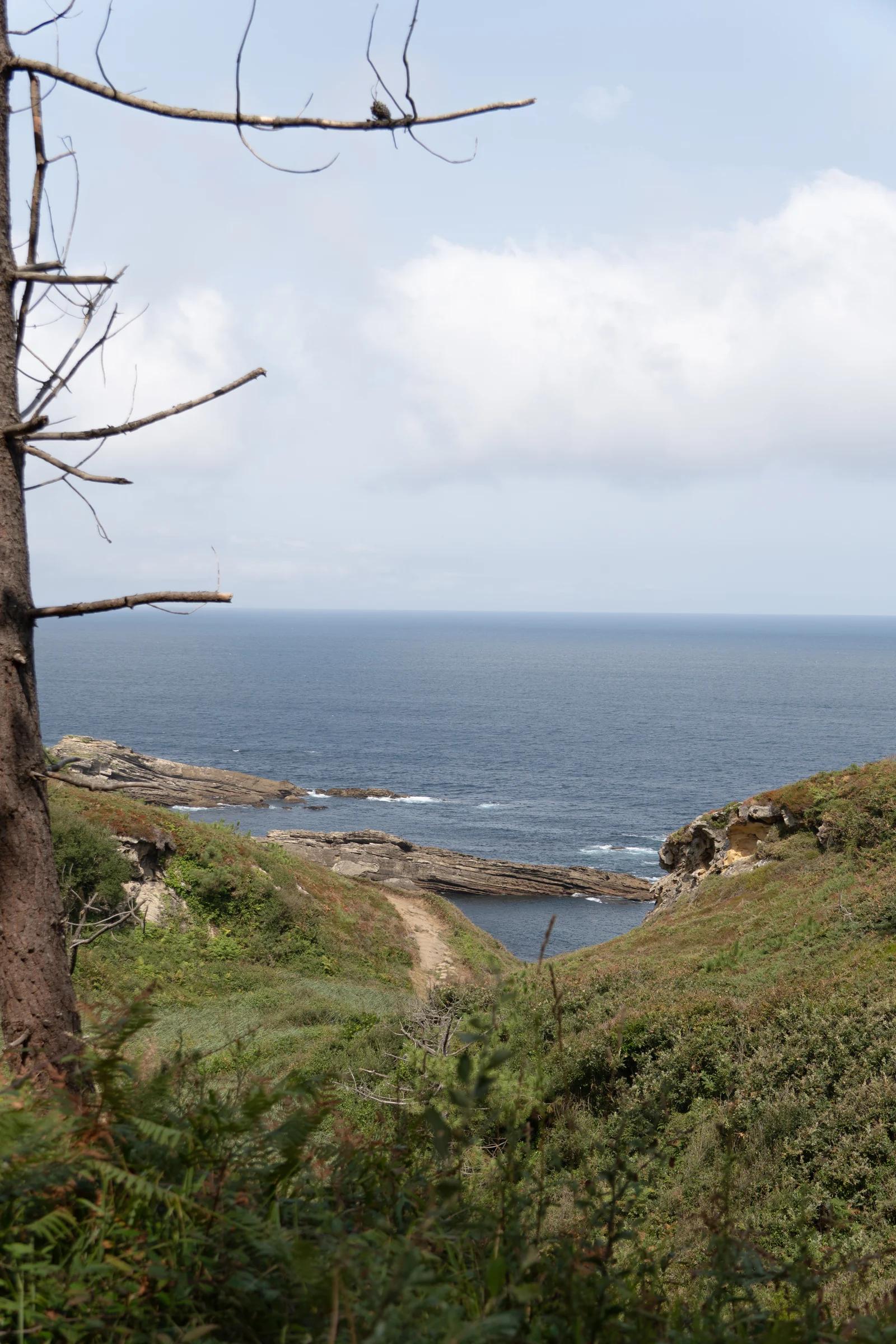
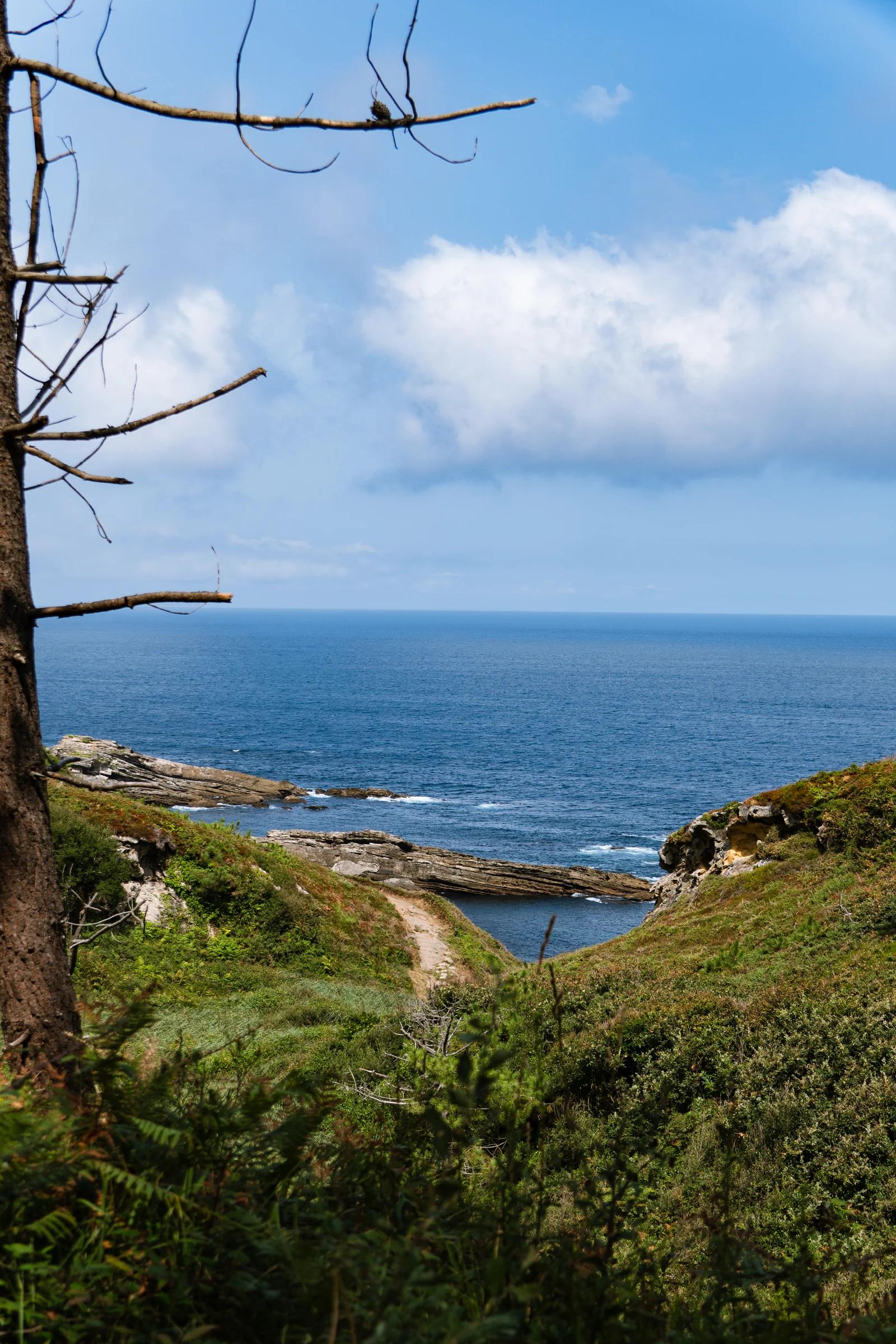
Before and after with Verdant
Evergreen
- After
- The before photo with only the preset applied, at 100%.
- Before
- The RAW file with the Adobe Color profile, lens corrections, and exposure and white balance set by hand.
When Verdant is not the right pack
- Wildlife and portraitsFor animals, see Wild. For people, see Wander.
- The city and the nightThe pack has no blue hour or night version.
- Black and white, infrared, teal and orangeThe pack has none of these looks.
If you also photograph wildlife
The Nature bundle adds Wild, our pack for animals in their habitat.
| Offer | Made for | What you get | Price |
|---|---|---|---|
| Verdant | Made forFor forests, meadows and mountains: vivid greens that make your photos shine, from cool conifer green to warm olive. | What you get53 presets · 11 looks, up to 5 lights each · 7 tools | Price€19.99See Verdant |
| Nature | Made forFor the animal and the land it lives in: Wild for wildlife, Verdant for forests, meadows and green coasts. In both packs, vivid greens that make your photos shine. | What you getWild · Verdant22 looks · 106 presets | Price€33.99€5.99 (14%) less than its packs bought one by oneSee the Nature bundle |
Questions
Does Verdant work for mountains and coasts?
Yes, where vegetation is part of the picture: forests, undergrowth, meadows, mountain conifers, gardens and green coasts.
Will the sky become bluer?
No look makes blues more saturated than in your photo. For a denser sky, add the Deep Sky tool on top of the look.
Not sure which pack fits? Compare the packs and bundles.