How to choose Lightroom presets for wildlife photography
A wildlife preset has one job: keep the animal the first thing you see. Many presets fail at it, because they push every color at once and were made in a single light. Here is what to check before you buy, and how our Wild pack answers each point.
Why wildlife photos are hard to edit with a preset
- The background competes with the animal. A saturated blue sky, bright yellow grass or neon green leaves pull the eye away from it.
- Fur and feathers change color easily. A preset that warms the whole photo turns a lion orange and a white egret yellow.
- The light changes during one outing. Hard sun at noon, open shade, golden hour, backlight: the same preset cannot be right in all of them.
What to check before you buy any preset pack
- Which light each preset is made for. A preset made at golden hour goes wrong at noon. A pack that names the light of each version lets you pick the right one.
- What it does to your exposure and white balance. You set them photo by photo. A preset that overwrites them makes a series uneven.
- Whether you can set the strength. A look that is too strong on one photo should be easy to turn down.
- What the "before" really is. A fair example says what was done to the before photo and what the preset added.
- What the pack is not made for. A seller who says it saves you a wrong purchase.
How Wild answers
- The colors that compete with the animal calm down: saturated blues and cyans, bright yellow grass, neon greens. Greens stay a living olive, and the reds and oranges of fur keep their hue.
- Each look comes in a version for each daylight: full sun, overcast, shade, golden hour and backlight. A light that goes against a look is left out: Frost, a cold and airy look, has no golden hour version.
- Tools for what a wildlife photo often needs, one click each on top of any look: Subject Lift brings the animal forward, Quiet Background calms what is around it, Calm Sky keeps the sky from competing. Some tools need Lightroom on a computer; the pack page says which.
- Your exposure and white balance stay yours. No preset of the pack changes them, and Reset Look takes the look off without touching them.
- You set the strength. Every look also comes as a creative profile with an Amount slider. A profile at 100 is stronger than the preset, so start around 50.
Which light version to pick
- Full Sun: hard midday sun.
- Overcast: gray sky, flat light.
- Shade: open shade or forest, with its blue cast.
- Golden Hour: low, warm sun.
- Backlight: the sun behind the animal, which comes out dark and hazy.
Trust the light you see in the photo, not the time on the clock: a low, warm sun is golden hour at 7 am as at 7 pm.
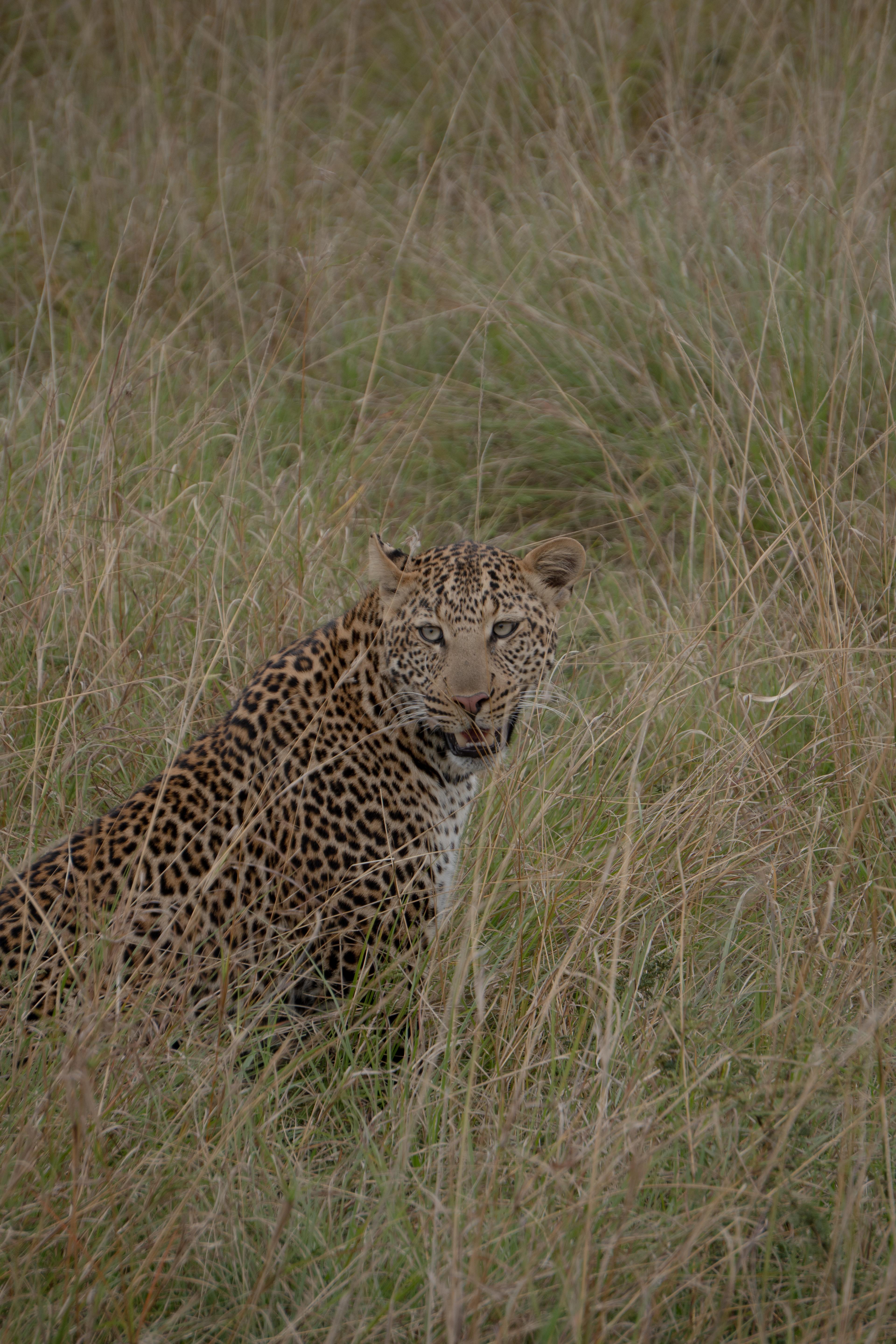
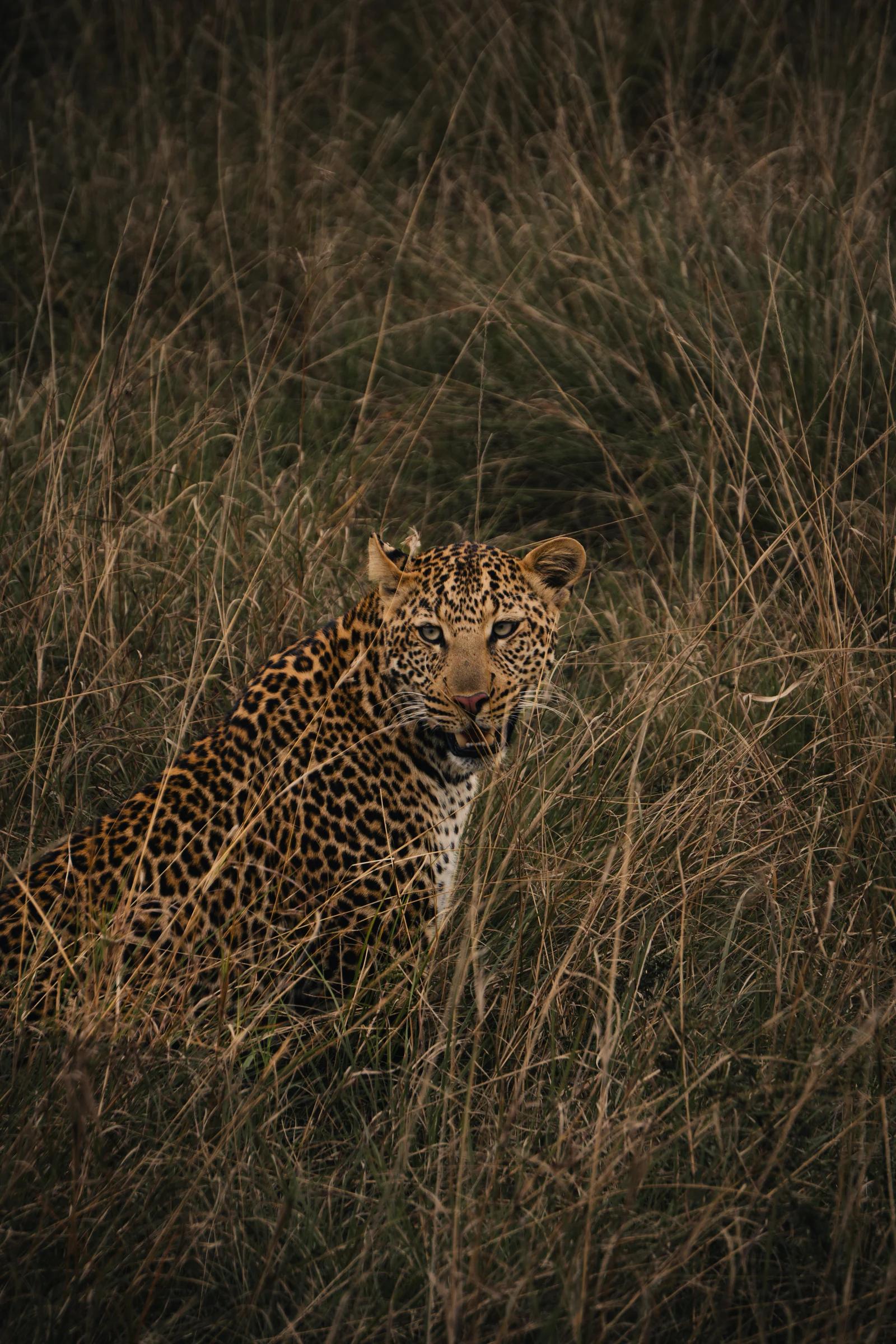
Before and after with Wild
Golden Savanna
- After
- The before photo with only the preset applied, at 100%.
- Before
- The RAW file with the Adobe Color profile, lens corrections, and exposure and white balance set by hand.
When Wild is not the right pack
- Night and blue hourAll five lights of the pack are daylight. For the city at night, see Downtown Night.
- Pets and studio portraitsThe looks are made for animals in nature: grass, reeds, forest, snow.
- Black and whiteThe pack has no black and white look.
If you also photograph the landscape
The same outing often gives you the animal and the land around it. The Nature bundle adds Verdant, our pack for forests, meadows and green landscapes.
| Offer | Made for | What you get | Price |
|---|---|---|---|
| Wild | Made forFor wildlife: the animal stays the first thing you see, and fur and feathers keep their true color. | What you get53 presets · 11 looks, up to 5 lights each · 7 tools | Price€19.99See Wild |
| Nature | Made forFor the animal and the land it lives in: Wild for wildlife, Verdant for forests, meadows and green coasts. In both packs, vivid greens that make your photos shine. | What you getWild · Verdant22 looks · 106 presets | Price€33.99€5.99 (14%) less than its packs bought one by oneSee the Nature bundle |
Questions
Do these presets work for birds?
Yes. Wild is made for mammals and birds in their habitat. The Plumage look keeps feather colors true, with no color cast, and white plumage keeps its detail.
Will a preset fix the noise of a high ISO photo?
No. The looks leave noise reduction and sharpening to you. The Light Grain tool adds a fine grain that makes noise less visible.
Not sure which pack fits? Compare the packs and bundles.